


Your mind may jump straight to an expensive repair when your dishwasher suddenly flashes an error or refuses to start. Take a breath… There’s no need to panic yet. Your dishwasher problem may be much simpler than it looks.
A dishwasher error can appear as a code, a blinking light, repeated beeping, or a machine that sits completely silent. Sometimes the door isn’t fully latched, the controls are locked, or Delay Start was accidentally turned on. The exact meaning depends on the brand and model.
Work through the checks below in order. You may find a quick fix, and if you do need service, you will have useful details to share with the technician.
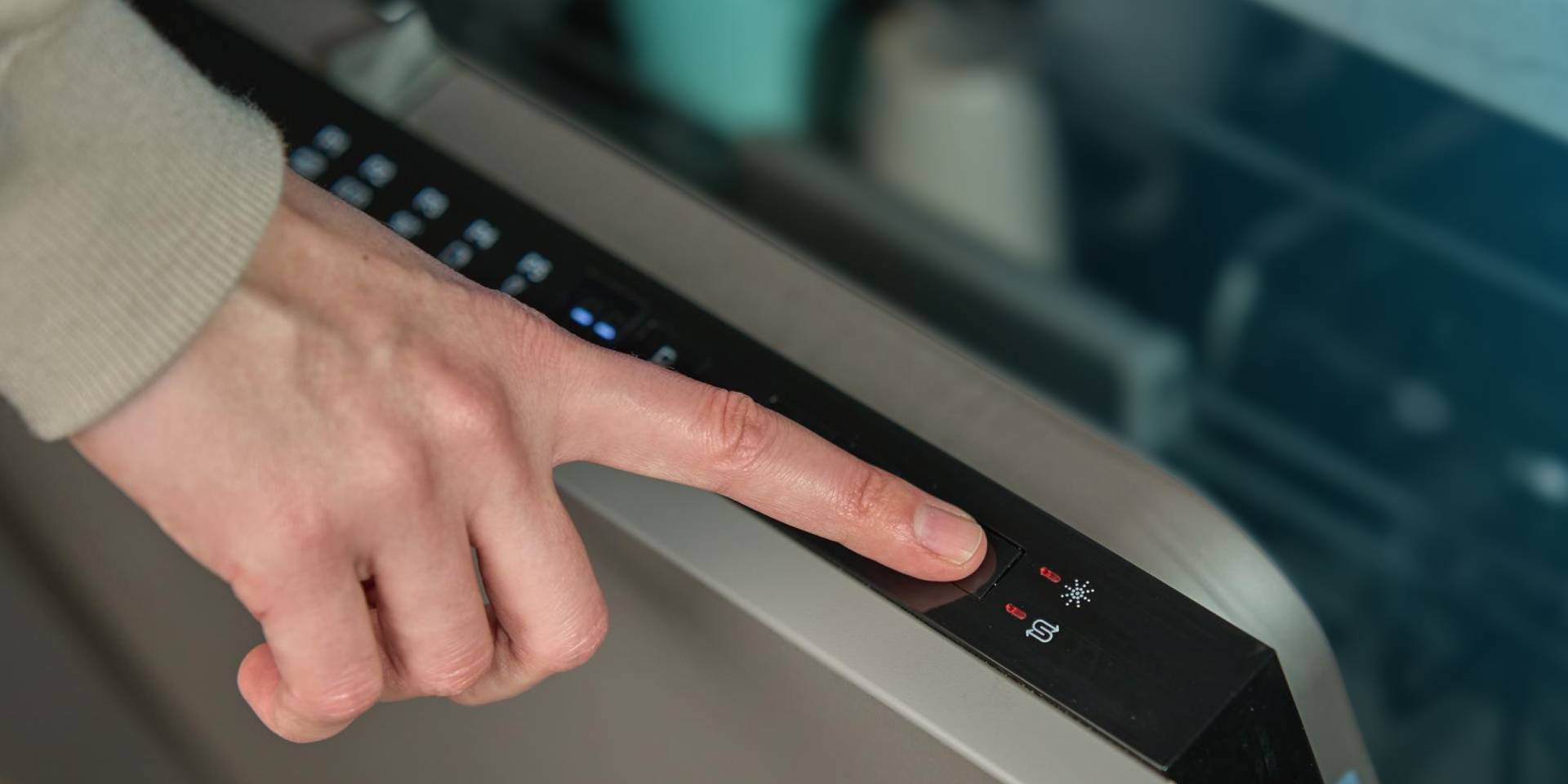
1. Take a Picture of Your Dishwasher Panel
Don’t reset the dishwasher yet. First, take a photo that shows the error code and the rest of the control panel. If the lights keep blinking or the dishwasher is making the same sound over and over, record a short video instead.
Also pay attention to what happens when you press Start. Does the dishwasher stay quiet, hum, or start running and then stop again?
Next, find the model number on the label inside the dishwasher door. Use the model number to check the error in the correct owner’s manual, since the same code can mean something different on another dishwasher.
2. Check Whether Your Dishwasher Has Power
Press a button, and nothing lights up? It may sound obvious, but make sure the dishwasher is actually getting power before moving on. These quick checks should only take a minute:
- Find the dishwasher’s circuit breaker.
- Move the breaker completely to Off, then switch it back to On.
- If the dishwasher has a power cord, make sure it’s firmly connected to the outlet inside the nearby cabinet.
- Reset the kitchen GFCI outlet if the dishwasher’s outlet is connected to it.
- Look for a wall switch near the sink that may control power to the dishwasher.
If the breaker trips again, leave it off and call a technician or electrician. Repeated tripping may point to an electrical problem that another reset won’t solve.
3. Make Sure the Water Is Turned On
Does the dishwasher have power but fail to fill with water? The water supply may be turned off, especially after plumbing work, a recent installation, or a move.
Here’s how to check the water supply without disconnecting anything:
- Look under the sink for the shutoff valve connected to the dishwasher’s water line.
- Make sure the valve is fully open.
- Check the visible supply line for any obvious bends or kinks.
- Look for water around the valve or supply line.
Don’t force a stuck valve or disconnect the water line yourself. Call a plumber or appliance technician if the valve is leaking, difficult to move, or hard to identify.
4. Close the Door, Check the Racks
If the door only stays closed when you lift it or push hard, don’t keep forcing it. The door may be out of line, or the latch or hinges may need repair.
Take a quick look at the following areas:
- Check for dishes or utensils sticking out past the racks.
- Push the upper and lower racks all the way in.
- Move tall pans and cutting boards away from the door.
- Press Start and close the door as directed in the owner’s manual.
- Listen for the latch to click, but don’t slam or force the door.
If the door won't stay shut when you lift or hold it, don’t keep forcing it. The latch or hinges may be worn, or the dishwasher may no longer sit correctly under the counter.
5. Check Control Lock and Delay Start
Your dishwasher has power, but the buttons still aren’t doing much? Before worrying about a broken control panel, look for Control Lock or Delay Start. Both settings can be turned on by accident; one blocks the buttons, while the other makes the dishwasher wait.
Use the control panel to check both settings:
- Look for a padlock symbol, a Control Lock light, or a message such as LOC.
- Follow the instructions printed on the panel or in the owner’s manual to unlock the controls.
- Check whether the display shows a delayed start time, such as 2H or 4H.
- Cancel Delay Start as directed for your model, then select a new cycle.
Don’t assume every dishwasher unlocks when you hold a button for three seconds. The correct steps vary by brand and model.
6. Cancel the Cycle and Start Again
Everything looks right, but the dishwasher still won’t start. Clear the current cycle and try again.
Go through the restart one step at a time:
- Press Cancel or Cancel/Drain if you see either option.
- Let the dishwasher finish draining.
- Choose a new wash cycle.
- Press Start and close the door as the owner’s manual directs.
- If the manual recommends a power reset, unplug the dishwasher or switch off its circuit breaker.
- Leave the power off for a few minutes, then turn it back on.
A reset may clear a one-time problem, but it cannot repair a broken part. If the same dishwasher error returns, take another picture and continue with the checks below.
Signs Your Dishwasher Needs Professional Help
You have made it through every check, but your dishwasher still won’t run? At this point, the problem could be hiding behind the control panel or another covered area.
You may schedule a repair with a technician who will check the door switch, wiring, control board, pump, and leak sensor without risking further damage.
A burning smell or water near electrical parts needs immediate attention. Stop using the dishwasher. If you can safely reach the plug or breaker, disconnect the power and call a technician.
It’s time to stop troubleshooting if you notice any of the following:
- The same error returns after restarting the dishwasher.
- Water leaks onto the floor or into the cabinet.
- The circuit breaker trips more than once.
- You smell something burning or notice smoke, sparks, or unusual heat.
- The dishwasher makes a harsh grinding sound.
- Water remains inside because the dishwasher won’t drain.
Don’t remove the toe-kick, control panel, or other protective covers unless you’re qualified to repair appliances.
Smell something burning or notice water close to any electrical parts? Don’t keep testing the dishwasher. Stop using it and, if you can do so without touching any water, unplug it or switch off the circuit breaker.
When to Consider a New Dishwasher
One error message doesn’t mean you need a new dishwasher. Check the warranty first and find out how much the repair would cost. Then consider the dishwasher’s age, past repairs, leaks, and how well it still works.
A replacement becomes easier to justify when the same problem keeps coming back, or several parts are beginning to fail. A high repair bill can also be hard to justify on an older dishwasher. Every situation is different, so don’t base the decision on one strict age or repair-cost rule.
If a new machine is the better choice, browse dishwashers at Bay Appliance & TV. Serving the Southern Oregon Coast since 1964, Bay offers built-in, portable, and drawer dishwashers for different kitchens and budgets.